An AI-Native ATS for Recruiters: A Shortlist in Minutes From Your Own Network
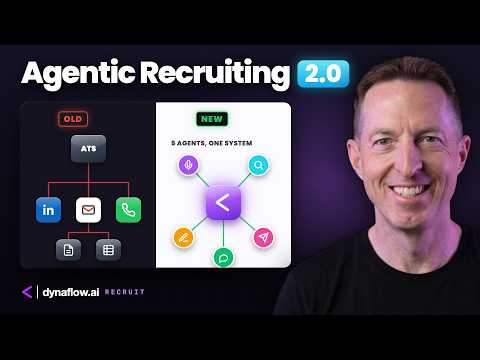
A firm with 2 million candidates in its ATS still needed a full day to build one shortlist, and a manual pass on a recent search produced 16 candidates in a day. The people were already in the recruiter's network - finding them was the bottleneck. Dynaflow Recruit is an AI-native ATS, in beta, built around that: one clean record per person from the data you already own, a snapshot instead of a log, AI that summarises and drafts, and a recruiter who reviews and presses send.
Key takeaways
- Every person in one table: over 12,000 people, 86% with a LinkedIn profile and a third with a mobile number, sorted by salary or age in one click and narrowed as you type. In the old ATS that took a search, an export, and a spreadsheet.
- A candidate is a snapshot, not a log: the AI reads the notes and messages and writes a rating with the reason, the current situation, strengths, and risks. If it doesn't know, it says "not on file" - and email, LinkedIn, WhatsApp, and calls sit in one place.
- Four rules keep the human in charge: your own network first, your own voice, no made-up facts, and you press send. Outreach is drafted for you, your edits are learned, and nothing goes out by itself.
Full transcript1,966 words
My last recruiting company had 2 million candidates in their ATS. 2 million. Generally speaking, it took an entire day to build a shortlist. This week, I built a shortlist for a client in just a few minutes, from my own network, using agentic AI.
So I started building an AI-native ATS that I always wanted. It's called Dynaflow Recruit. It's early, it's beta, but I think it's pretty cool, and I'd like to show you how it works. So in today's video, I'm going to show you what real agentic AI looks like and how you can benefit from using it or implementing it into your business.
The speed problem. In contingency recruiting, speed is the game. You and three other recruiting firms get the same job on the same day. The client does not pay for effort.
It's like John Chambers said, the legendary ex-CEO of Cisco: don't confuse effort for results. The client pays for results. Whoever puts the best candidate in front of the client first gets paid. Speed makes money.
Speed wins. Here's the main problem, as I see it. Every recruiter I know is sitting on a gold mine. Years of LinkedIn connections, contacts in their phone, spreadsheets on old hard drives, interview notes from people they met 10 years ago.
None of it's connected or integrated, and you can't communicate with it. Most of the time when you get a new job, you start from zero. You open the ATS, you search, you scroll, you filter, you copy, you paste. Hours go by.
It's exhausting. So let me tell you a quick story. Last week, a client called me with an urgent new job search: a channel sales engineer for a global cybersecurity vendor. They'd been searching for a few weeks internally and they came up short.
So to experiment, my team and I did a full pass the old-fashioned way. It took an entire day, and we only came up with 16 candidates. This was my life pretty much every day for many years. However, recent experience has taught me something completely new.
One, people were already in my network. Two, finding them was the bottleneck. The mission. So here's my mission for you today in this video and moving forward: to help you as a recruiter or a salesperson identify, screen, recruit, and close people faster.
That's it. Very simple. And as a company, my mission is to help you shorten the recruiting process, to go from that first identification of a candidate to that first day when they join. But what's in it for you, you may ask?
Well, if you're a recruiter, this will help you save time exponentially and make money. That's the most important thing. And if you're a company, it will help you hire better candidates faster. So by the end of this video, you'll understand three things.
One, how we pulled 20 years of candidate and contact data into a central system. Two, what an AI-native ATS looks like from the beginning of a search to close. And three, how agentic AI makes a recruiter ultra efficient, obviously, without replacing the recruiter. For those of you who don't know me, my name is Mike.
I spent 20 years in recruiting, selling enterprise-level professional services and recruiting services to big tech, and now I run Dynaflow. We build AI systems to help companies like yours move faster, make better decisions, and make more money. This is Dynaflow Recruit. One thing before we start: this is a demo and beta version, so every name and company is fictional.
However, the product is real. If any of this resonates with you, click the link below, book a meeting via Calendly, and let's get connected. I'll meet with you for 15 minutes. We'll go through the bottlenecks and the problems, and I can help you immediately start building agentic AI around your current system.
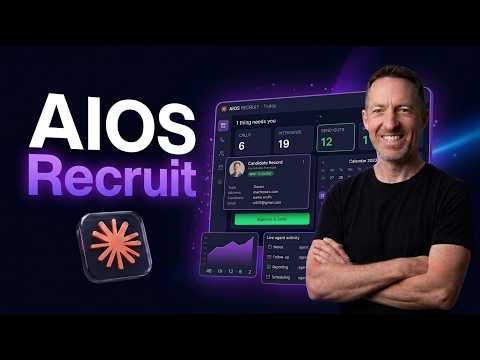
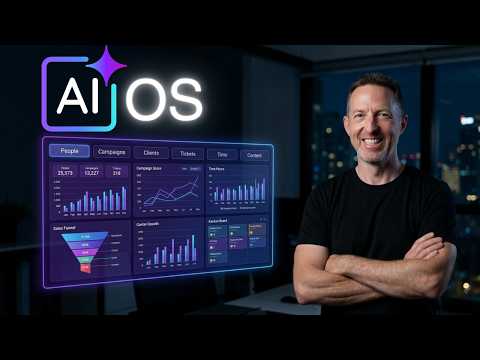
Okay, let's jump into the demo. This is the whole desk on one screen. People we've been in contact with, what the pipeline looks like, what happened this week. I built every page the same way: AI first, and visually, so you can see what's going on.
This is my favorite page. Every person I know, over 12,000 people. 86% with a LinkedIn profile, a third with a mobile number, how old they are, where they work, and underneath, the people I checked last. One click sorts by salary.
One click sorts by age. And I narrow it as I type. In my old ATS, this took a search, an export, and a spreadsheet. The screen.
Now one person. Same idea: a snapshot, not a log. The AI reads her notes and her messages and it wrote this. A rating, A, B, or C, with the reason.
Her current situation, what she does every day, her strengths, her risks. If it gets something wrong, I can fix it. My edit stays. Human guided.
This is the ATS I wanted for 20 years, finally here. How I contacted her, the communication flow: email, LinkedIn, WhatsApp, calls, all in one place. The emails arrive automatically through AI. I didn't log them.
I didn't copy and paste them. And the call is one tap. Now watch this. I configure and change the page my way.
Totally customizable, for every person record I open. See, same order. This person has no summary yet. Now look at English and Japanese: not on file.
It doesn't know, so it says so. It doesn't guess. Recruit. Now the outreach part.
23 people left to contact, and every message written by AI as a draft. On the left, a snapshot of the person, who she is, and my notes. On the right, the message, written by AI, but in my voice. The AI also writes a reason why I think she fits the role.
I read it. If I like it, I go. If I change what I want, I do that too. Did you see that?
One wording change learned. I edited the message, the system learned from it. The system is self-learning. And notice what I did not do.
I did not send anything. Human-guided AI recruiting. This is real. Okay, now the close.
This is the pipeline. Everyone I know in the conversation, the stage, the fee, and how likely each one is to close. Probability. This candidate replied.
We booked a call. One click. And the client, also a snapshot. The commercial terms, the contacts, and what to tell a candidate, how to sell them.
So when a candidate asks me, why should I join this company, the AI already knows this and has an answer ready for me. Back to the dashboard. The data has changed now. So if you own a firm, this is the page you open and you can see everything.
What's next? Saved views on every table, candidate profiles and job descriptions written from the record, and AI agents that propose next steps. Humans in the loop, always. Okay, the concepts.
So that's what it does. Here's how it thinks. Four simple rules. One, your own network first.
The best candidates are people you already know. You met them, you interviewed them, you have the relationship, but maybe you forgot. Dynaflow Recruit does not forget. Two, your own voice.
Every message sounds like you because it learned from what you actually wrote and said. Three, it doesn't make things up. It doesn't hallucinate. Data comes from your system, your notes, and what you put into the system.
And four, you press send. The AI drafts the messages, the recruiter reviews, and if it's good, clicks send. Humans making the ultimate decision. So really it's a human-written message being guided by AI.
As you probably know, recruiting is a relationship business. Nobody wants a message from a robot. The architecture. So here is where it all integrates together.
Three layers. One, the foundation: your data. Your LinkedIn connections, your contacts, your notes, and your current ATS, if you have one. Two, the middle layer: one clean record per person.
It's not a client and candidate thing, it's a people thing, built from the data that you own. And three, the top layer: Dynaflow Recruit. The dashboards, the candidate cards, the messages, and all of it together using AI agents and automation doing the admin. But above everything else, it's you making the decisions.
One final thing in regard to security. Dynaflow Recruit can be a private system. It's a private system that you can control and it sits in your system. Your company's data and client data stays with you, under your control.
For a recruiting firm, this is really important. It's your data and your candidates. This is your IP, and your clients are your entire business. So our philosophy is to help you leverage this data, but keep it your own.
The benefits. Now here is the interesting part. What does this do for you? Well, if you're a recruiter, you find people in seconds, not days.
You get to the best candidate first. You spend your days on calls in front of clients, not doing admin, and you make more placements, you make more money, or you have more time for your family. If you own the recruiting firm or if you're a manager, you see the whole business. Full clarity, total visualization.
You see who's in play and what needs action today. You grow the revenue without adding headcount. Or if you want to add headcount, you can do that ultra efficiently. And if you're the company hiring, you see people faster.
You hire people faster, from the first conversation to the first hire. Here's the ROI and the numbers that matter. The old way took one full day. With Dynaflow Recruit, it can happen in minutes.
Literally. If you remember one thing from this video, remember this: agentic AI is here. It's not going to replace you, it's going to help you. It's going to make you ultra efficient.
It's going to make you the Captain America of recruiters. Less admin, more time, more revenue. Alright, so this is early. Dynaflow Recruit is early.
It's still beta. I'm using it now with my actual recruiting. But how does it work and how can you get it? Well, it depends on you.
Some firms put Dynaflow on top of what they already have, as a type of agentic system on top of their ATS or their CRM. Some firms are ready to change how they recruit completely. It's a new way of recruiting. Both work, depending on you.
But here are ways that you can work with us. One, the platform. We give you Dynaflow Recruit as a template. You customize it, and we help you customize it for you.
Two, just the parts you need. We build these custom parts and capabilities into your current system. Or three, training. We teach you and your team how to build this kind of thing yourself.
If you're busy recruiting and you already have a gold mine of data, you can build something like this too. But maybe you're too busy to build. So the main question is, how fast can you get to those client and candidate calls? Want me to build this for you on your data?
Link in the description. Book a 15-minute meeting. Let's get connected and I will work with you to figure out the problems, and we can start building together immediately. I'll show you your bottlenecks, your problems, and how we can solve them.
I guarantee it'll be the best 15 minutes of your week. My name is Mike. This is Dynaflow. Have a great day.
See you in the next one.
Auto-generated from the video's captions and lightly edited for readability. Commercial terms are covered on a call, not here.