Scale Without Adding Headcount: An Agentic AI Layer
One agentic layer doing the work of a seven-person marketing team, plus a voice agent that calls applicants, screens them, and books the interview - all on a single phone call. Opens with the live call, then the full build underneath. Ends with the math: $28,000 a year by hand, $3,000 by year two.
Key takeaways
- One AI marketing department did the work of seven people - and the same layer then became a recruiter.
- A voice agent runs the entire loop on one call: screen, check the calendar, let the candidate pick a slot, book it, confirm by email.
- The math on four manual workflows: ~$28,000 a year by hand vs ~$10,000 in year one and ~$3,000 after - payback in roughly 20 weeks.
Full transcript3,823 words
This single AI marketing department replaced seven people for one of our clients. I'm Mike. We build an agentic AI layer over your business. Think of it as a layer of AI agents sitting on top of everything you already run.
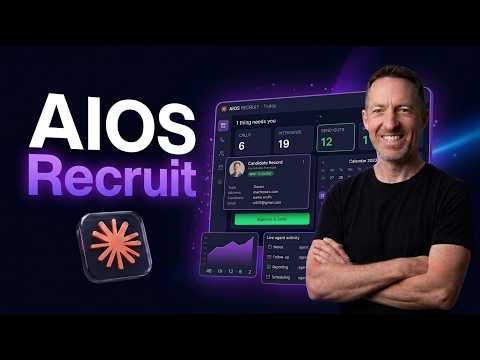
Your tools, your data, your team. It connects all of it and it goes to work. That layer is what lets a company unleash its AI superpowers, move faster than your competitors, do the things you always said you'd do when you finally had the people. We call the system AIOS, one operating system for your whole business.
And what I'm about to show you today is that layer running live. We have a client in the US. They're growing quickly and they need to hire. So, we installed AIOS as their AI architecture to give them the AI superpowers and empowered them to build a voice agent which actually goes out and screens candidates for first round and then it books a meeting to the hiring manager's calendar.
So, let's see it in action now. Hi, this is Sarah calling about your application for the customer service associate position. Do you have a couple of minutes? Uh yeah, now's a good time.
Awesome. And who am I speaking with? My name is Mike. Hey Mike, great to meet you.
So, I'm reaching out from the hiring team and I just wanted to do a quick chat about your application. First things first, are you still interested in the customer service associate role you applied for? Yes, I'm still interested. Love to hear it.
Are you working anywhere right now? And how soon could you start if this worked out? Yes, I'm working. I could probably start within 1 month.
Oh, nice. That works perfectly. Uh and what made you want to apply for this one? I like the customer service culture and I like the fact that you're growing.
Love that. Those are great reasons. So, this role is in person at one of our Tampa Bay locations. Are you local and good with the commute?
I'm local. Commute, no problem. Perfect. Last one, the schedule is flexible but does include some weekends and evenings.
Are you good with that? Yeah, sure. Weekends are fine. Honestly, Mike, you sound like a great fit.
Let me pull up some interview slots with our hiring manager real quick. I've got a few options for tomorrow, Wednesday, June 3rd. There's 10:00 in the morning, 12:00 noon, or 1:30 in the afternoon. Any of those work for you?
1:30 in the afternoon. Perfect. And what's the best email to send the calendar invite to? com.
Is that right? Yep. That's correct. And can I get your full name for the invite?
My name is Mike Armstrong. Let me get that booked for you now. You are all set, Mike. You're booked for Wednesday, June 3rd at 10:00 in the morning.
com. We are really excited to meet you. Excited to meet you as well. Thanks so much.
Awesome. Thanks, Mike. Have a great rest of your evening, and we'll see you tomorrow. Okay.
See you tomorrow. Start with one AI marketing department doing the work of a full team. A CM, a copywriter, a marketing technologist, social media, content buyer, media, marketing, all the agents working together in one place. The team works directly with the agents trained on their function.
Every agent has its own chat, its own memory files. You can open an agent and change its settings instantly. Every agent is connected to the same tools. So, the whole marketing department runs on a single back end.
One knowledge base, everyone reads from the same source. And each AI employee has its own skills. So, that agent performs at a high-level in its function. Our client kept their A-players and let them connect with the agents.
And now the rockstars talk to the agents directly. And you know what? Now they ship more than the whole team used to because they have AI superpowers. Here's the thing.
This is not six tools. It's one operating system, AIOS. The same agentic layer that runs the AI marketing department can also become a recruiter and start to do recruiting. So, your top recruiter can spin up a voice agent that goes out and screens candidates instantly and you drive all of it from the same place, the portal or right inside Slack.
That is what unleashing your AI superpowers actually looks like. One layer, every function. If you run a business and you want to scale without adding head count, click the link below and apply today. We'll map your business, build the agentic layer, and install it for your entire company.
So, your company now has AI superpowers. What I'm going to show you today is a quick demo of the AI voice agent sitting on top of AIOS. Then, I'm going to go through the build and then I'm going to show you something really cool. So, stick around until the end.
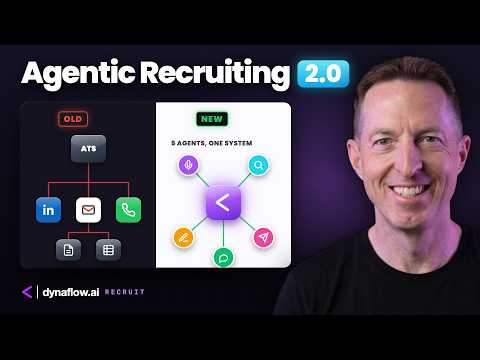
a visual representation of what the voice agent looks like. So, how the AI voice agent books meetings. So, it's a single phone call and the agent will find the time and then the candidate picks the time as you heard in the demo and then the meeting will book. So, if we go on the left here, the flow of the agent goes as follows.
The agent will call the candidate. I was the candidate in that situation. Then, it finds the agent will check and find open times. The candidate picks a slot and then the meeting is booked automatically and a Google Meet is sent.
And then more meetings are booked to both the hiring manager and then also to the candidate itself. So, one call, agent finds the time, candidate picks up, meeting books itself. Your team doesn't have to do anything. This is all automatic.
Here is a visual representation of what it looks like. This is a bit more technical. com bookings uh URL. com API in the background does the email invite in the Google Meet, and then there's a return confirmation.
Once that's confirmed, the information is routed back to the agent. Uh, it will check the calendar for availability through a web hook. com available URL, and then it will send six slots back to the agent. So, we're circling back to the agent now, and then that will book the meeting.
" as you heard in the demo. That's it. That's a quick visual representation of what the agent looks like. Again, if you want this in your business, click the link, apply, that will take you to my Calendly.
Let's get connected. Let's help you make some money. If you're a fast-growing company and or just a company that wants to turn around or do anything with AI, and you're interested in installing 21st century architecture for your business, AIOS, a new way of doing business, empowering your business, just click the link below and apply. It'll take you to our Calendly link and book a meeting with me.
We'll talk for about 20 minutes. We'll figure out where your bottlenecks are, what the problems are, where we can help you save time and make money. And honestly, we will change the game for your business. So, click the link and let's get connected.
Next, we're going to jump into the back end of how we built this agent for you technical people out there. So, the front end is or the agent is 11 Labs. So, we're in the 11 Labs interface. 11 Labs is a voice agent orchestration platform.
It's one of a few that we use. Another one is Retail AI. Another one is LiveKit. But for this demo, uh, it was 11 Labs.
We like 11 Labs, great voices, and they're continually uh building out their orchestration platform. Here's the prompt. I'll just read the beginning. You are Sarah, a recruitment coordinator for a fast-growing Express Car Wash company.
And yeah, so here's the prompt. And so you can see you're on a live phone call with someone who recently applied for the customer service associate role. So you can see there's some instructions for the prompt. This goes on and on.
So we won't go through the whole thing, but if you're interested in the prompt, let me know. There's actually a cool visual section there as well. Um and then what else is in the section? The voice is Jess.
Uh so you need to set voices. I I like Jess. She's Australian. Uh TTS model family is turbo.
The The options are uh V3 conversational, flash, turbo. Um for this one we use turbo. And then for these settings we just left everything as is. Stability, speed, similarity, kind of in the middle there.
Now you can also uh of course select the language. I mean, one thing about voice agent sitting on top of AIOS is it's multilingual. You can see all the languages available here. It's pretty amazing the voices and languages that 11 Labs is building out for their uh for their voices and their and their uh voice agents.
7, which is new. 5, which is also new. That is the LLM section. I think that's about it down here.
So the next thing we want to go into is the workflow. Nope, sorry, my bad. Is into the tools. We built two tools for this agent.
The first one is a check calendar availability tool. And so this tool basically has a description, check Mike's calendar availability for a date range, returns available top slot times. There's a URL, which is the endpoint, essentially. No headers.
And then down in the query parameter section, we have a just one string, which is an event type ID. com. You get that in the URL, which you aren't going to be able to see in this video, but it's literally in the URL section. And uh yeah, so that's about it for the check calendar tool.
Um and I'm going to explain this in a flowchart in a minute, but the next tool after that is book meeting. And the book meeting tool is Well, it's just the book {underscore} meeting, and then there's a description. And then there's again, this is a post request. And then this is the endpoint URL here.
And then down, no headers, no path parameters, no query parameters. There are some body parameters in this tool. This is a brief description. Uh one string type is start time.
And then this part uh took me a while to adjust, but we selected the meeting time slot in ISO 8601 UTC format. And then there's kind of an example date here. And then So, this is UTC is is I think Greenwich time. It's like the the start of the time uh globally.
Um so, depending on where you are, the agent will kind of adjust to that time. And then the next string is the attendee name. com. And then we have an email Excuse me, an email string.
So, we need the user's email. com. com is pretty cool. All it all happens in the back end, where uh the meeting gets booked onto Google Meet.
com. Uh and then time zone. And then the caller's time zone is Asia or America, New York. Yeah, anyway, this is an example and a description.
That's about it for the book meeting tool. So, those that's the agent, the prompt, and the tools. Next, uh what happens is from the agent, the caller will will call in and then the agent will actually, through one of the tools that we described earlier, which is the check availability tool, that will get sent to an automation. We're using n8n for automations for this demo.
n8n is a workflow automation tool. It's low code and it's visual, so you can create automations quickly and relatively inefficiently. So, the first thing that happens is uh the data gets sent to a webhook, and you can see here that the webhook is a get, and here is the URL that was in the tool earlier that was show with that I showed you in N8, excuse me, in 11 Labs. So, here's the URL.
It's a get request. The path is check-calendar. No authentication needed here. And then respond to webhook, which is the last uh node in this automation.
Next, we go to a cool excuse me, a code node. Now, basically, what this does is it takes the data. I'm actually going to move to the latest execution here, so you can see the data. So, let's go back into the code node.
So, you can see here, this just takes the data that comes in from check availability. It goes through some code here. By the way, Cloud Code and AIOS will build all of this for you. So, this is the cool thing about AIOS is it it empowers you, the company, and the users to go out and start building agents by yourself or with, you know, with our help.
We can be like the AI department for you. " And what that is is start time, end time, event type, and time zone, which is what we need in order to check the actual availability. The next thing, this is the important one, this is where the magic happens, is an HTTP request node. So, here's the data from the code node.
com, which is a really cool back-end tool that checks availability and and will confirm meetings for you. And so that's that bearer bearer off is already set up. com. I mean, there's various authorization authorization things that are needed, but that happens there.
And then these are the start times, end times, event ID and time zone. So again, these are the four parameters, the dynamic data that we need to check availability. And so this comes in from the call into the code node and then that's gets set up as dynamic data strings and then it outputs all of this availability that it needs to check. com.
Again, that's here. And then it will come back with some uh some times, some available slots. Again, this is a this is a code node. And so basically we're taking the available slots that have come back from the HTTP node.
And then that gets organized in this code node and that gets outputted in a way that can get sent back to the 11 Labs agent and that is done through a respond to what Excuse me, respond to webhook node at the end. And so these are all the available times that get sent back to the agent. And then so the Essentially, what happens then is the available slots get sent back into the agent which uh the prompt uses to tell the caller, "Hey, here are three times that the um hiring manager is available. " And then the caller picks a time, it gives the agent his or her name and email and then that information is sent from the agent back into another new n8n workflow, which is this one.
Let me pull up the latest workflow here. And so, what happens then is we have another webhook. So, the voice the 11 Labs agent uh sends the information to a URL an endpoint as a post request. Here is the information that has come in, and you can see at the bottom um we can see start time, attendee name, email, and time zone.
That comes in through the webhook, so that's the raw data. Then we need another So, this is the second n8n workflow, and this information is coming in from the 11 Labs agent as actual selected availability that the workflow is going to process, and I'll show you what happens next. It goes into a code node, and then this this code node basically takes the dynamic data from down here and outputs it up here into the top right. com.
You can't see it, but the event is in the the numbers in the URL. And then we also need the email and the time zone. com, which then actually books the meeting. So, we have some JSON here, and I'll need to hide my API key there.
And then we also have outputted data here, and this gets outputted as the actual confirmed time. com has done its magic on the back end with the API, and booked the meeting in Google Calendar, and also sent an email both to the hiring manager and to the user. Your meeting is confirmed. Here's the Google link.
And the email looks like this. Okay? So, if I'm a candidate, I'm using this agent, I'll get an email with an actual Google Calendar link, and so will the hiring manager. And then after that, the information, the data which the meeting's now been booked, it gets sent to a code node for again for organization.
So, the output here is message meeting booked successfully, calendar invent invite sent to the attendees. So, this is done. Here's the booking ID and the start time. Uh yep, okay, good.
And then that could send to a respond webhook, which then gets sent back to the 11 Labs agent. And then the agent says, "Hey, great, your meeting's been booked, and we are good to go. Enjoy your interview. " Uh let me show you a quick um thing that I as I promised I would show you some bonus stuff at the end of this video.
So, let's do that now. me. Well, essentially, what's in it for you as you as a company owner or an operator or somebody who's trying to scale, grow your business, turn your business around, simply save money, maybe even make money, this will save you massive amounts of time and make money. AI will us will save you time and help you make more money.
So, let's say for example, you are running four manual tasks every year. Well, in this situation, every week and then every month and then every year. So, for example, you have an end-of-day brief, you have a weekly marketing content plan that you're creating, you are cleaning up the data in your database, and you are uh manually processing Google notes or manually processing CRM notes from a meeting. So, these are four different things that are being done manually.
Let's extrapolate all of that into one hourly cost. So, that that would cost four people doing this like an hour every day, $50 an hour or something like this. Again, these are extrapolated numbers, just an example. That would equal 11 hours per week spent on these four workflows.
And if you add that up, that's $28,000 a year. So, that's just for these four manual workflows that are happening. If we run this on AIOS, so it's the same workload, but it's automated and using AI on one platform, one subscription, and one install, we're talking a platform subscription, a one-off setup fee, and a small monthly hosting cost. That equals $10,000 a year.
By By year two, you're down to $3,000 a year. So you're going from $28,000 a year to $3,000 a year. Payback in 20 weeks, which is how long it takes to install everything and get things going and start to realize the ROI. So again, manual $28,000, AIOS $10,000, coming up to $18,000 in savings.
Now, this is just four workflows manually done. Okay? If you extrapolate that across your organization, it's going to compound and it's going to be hundreds of thousands of dollars in savings. We also try charge a monthly subscription fee.
I can't tell you how much that is cuz it's custom to every organization, how big you are, how much you want to do with AIOS, but either way, you're going to be saving yourself hundreds of thousands of dollars a year and it compounds over time. This chart will show you SAS plus manual tasks without using AIOS, without using AI and automation. It's kind of a linear line, this gray line down at the bottom. But with one knowledge base, a skills all installed at once, and routines that are automated, you can see AIOS will start to make your business grow faster, get better, and this will happen exponentially.
This is the exponential hockey stick that is going up eventually into a straight line. And again, the benefit for you is that you save time, you make money, and you can do things that you want to do. Spend time with your family, go on vacation, make money in your sleep. Hope you enjoyed this.
ai and click apply. See you in the next one.
Auto-generated from the video's captions and lightly edited for readability. Commercial terms are covered on a call, not here.